Schedule an Instagram post from ChatGPT for tomorrow at 9am using this caption: "new workflow is live"
YOU
Scheduled. Lime Social will publish your Instagram post tomorrow at 9:00 AM and report the result here.
Lime Social turns ChatGPT into a social media manager. Ask ChatGPT to create a post, choose your accounts, and schedule it across TikTok, Instagram, YouTube, Facebook, LinkedIn and more - without copying content between apps.
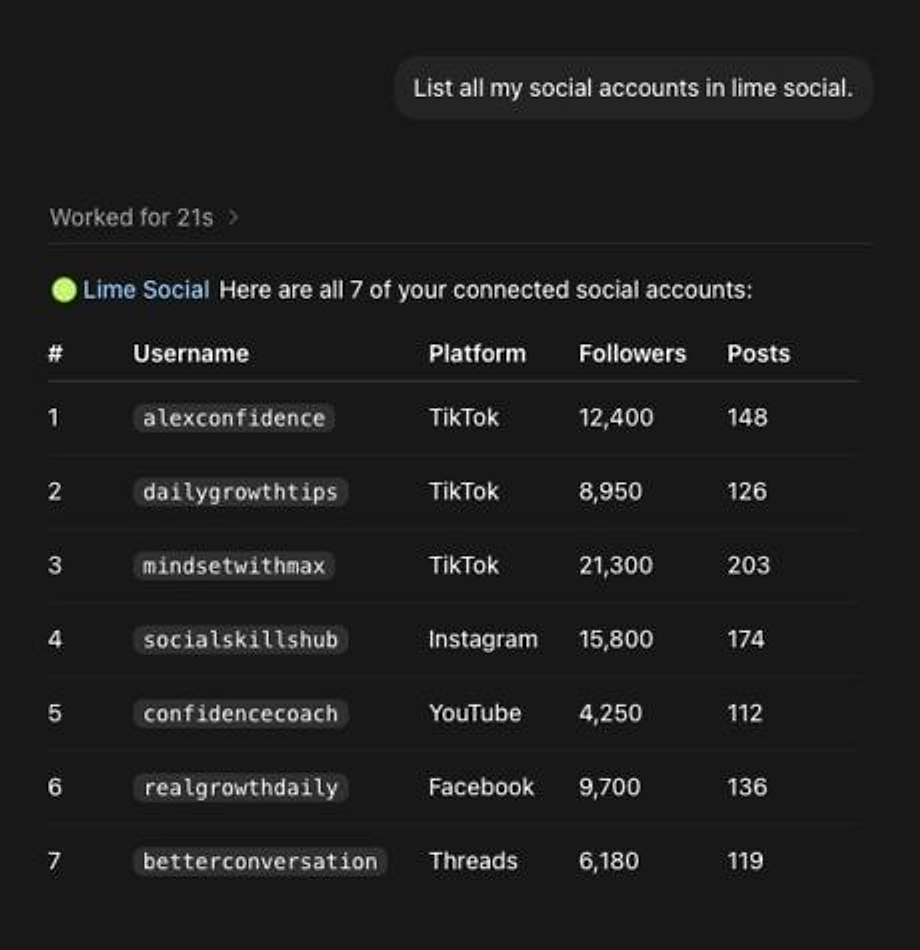
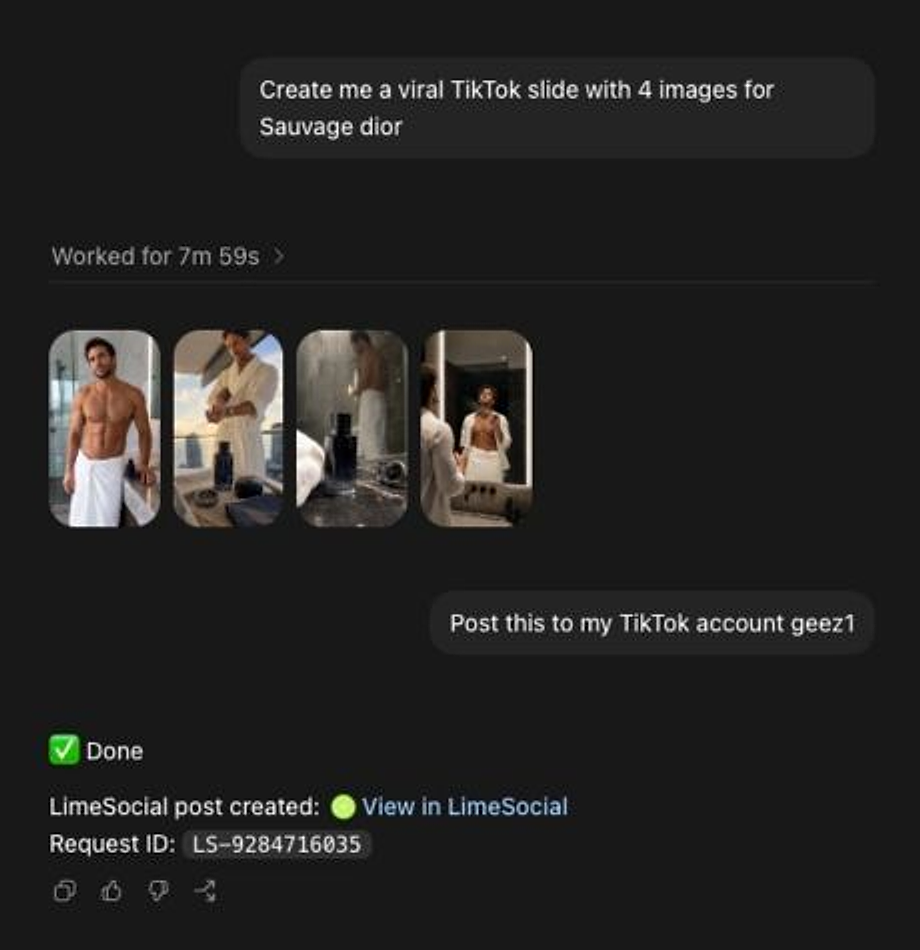
Create the content, choose the platform, and schedule from one conversation.
Sign up for Lime Social and connect the social media accounts you want ChatGPT to manage.
Add Lime Social to ChatGPT, Cursor, or any MCP-compatible client.
See full MCP setup docs
Ask ChatGPT to post, schedule, check analytics, list accounts, or clean up social workflows from chat.
Use ChatGPT for scheduling, analytics, account management, and multi-platform posting without bouncing between social dashboards.
Tell your AI what to post, where to post it, and when it should go live.
Publish to connected platforms without copying captions between social media tools.
Ask your AI which accounts are connected and choose the right brand or client account.
Get a simple answer when a post succeeds, fails, or needs attention on a platform.
Your AI uses your Lime Social connection, so social access stays inside one account.
Turn an idea in chat into a scheduled social post while the context is still fresh.
Connect your accounts once, then ask ChatGPT to create, schedule, post, upload, and check results across the platforms Lime Social supports.
Use ChatGPT with Lime Social to create, schedule, and manage X posts from chat.
Use ChatGPT with Lime Social to create, schedule, and manage Instagram posts from chat.
Use ChatGPT with Lime Social to create, schedule, and manage LinkedIn posts from chat.
Use ChatGPT with Lime Social to create, schedule, and manage Facebook posts from chat.
Use ChatGPT with Lime Social to create, schedule, and manage TikTok posts from chat.
Use ChatGPT with Lime Social to create, schedule, and manage YouTube posts from chat.
Use ChatGPT with Lime Social to create, schedule, and manage Reddit posts from chat.
Use ChatGPT with Lime Social to create, schedule, and manage Threads posts from chat.
Use ChatGPT with Lime Social to create, schedule, and manage Pinterest posts from chat.
ChatGPT is great at writing and planning. Lime Social gives it the tools to schedule, publish, and check real social media posts.
| Workflow | Native ChatGPT | +ChatGPT + Lime Social |
|---|---|---|
| Create social captions | ||
| Schedule Instagram posts from ChatGPT | ||
| Post to TikTok from ChatGPT | ||
| Upload YouTube videos from ChatGPT | ||
| Manage connected social accounts | ||
| Check publish results and analytics |
Free to use
Lime Social gives you one of the most generous free tiers for posting from Claude, ChatGPT, Codex, Cursor, and automation tools.
Get started - no credit cardNo credit card. No dashboard learning curve.
Connect your first 5 social media accounts for free, then start using AI workflows.
Create, schedule, and manage posts from chat without a basic post-count wall.
Use Claude, ChatGPT, Codex, Cursor, n8n, Make, and MCP-compatible tools.
Use the API directly when you want social posting inside your own workflow.
Get help from a real person when your social media workflow matters.
ChatGPT needs a connected tool to publish to social platforms. Lime Social gives ChatGPT that connection, so it can create, schedule, and manage posts across your connected accounts.
Yes. Connect Instagram to Lime Social, then ask ChatGPT to create and schedule Instagram posts from the conversation.
Yes. Lime Social supports those platforms, so ChatGPT can work with connected accounts through Lime Social.
Create a Lime Social account, connect your Instagram account, then add Lime Social to ChatGPT using the ChatGPT integration setup. After that, you can ask ChatGPT to create, schedule, and manage Instagram posts.
Yes. Connect TikTok to Lime Social, then ask ChatGPT to schedule TikTok posts, create captions, prepare media posts, and manage your TikTok workflow from chat.
ChatGPT can help prepare YouTube video posts when connected to Lime Social. Use Lime Social to connect your YouTube account, then ask ChatGPT to create or schedule YouTube content through the integration.
Yes. Lime Social lets ChatGPT work with connected LinkedIn and Facebook accounts so you can create, schedule, and manage posts without copying content between apps.
You can start free with Lime Social. Your first 5 connected social media accounts are free, with unlimited posts, API access, AI integrations, and human support included.
Connect Lime Social once, then use ChatGPT to post to Instagram, TikTok, YouTube, Facebook, LinkedIn, X, Threads, Reddit, and Pinterest.